Powerful & User-Friendly Windows Resource Editor


Resource Builder is a robust and intuitive resource editing tool designed specifically for Windows software developers. Whether you’re working with .RES, .RC, .EXE, .DLL, or other resource-containing files, Resource Builder provides everything you need to manage, edit, and maintain your application’s resources with ease.
Simplify and speed-up your development
- Experience the ultimate resource editing solution with Resource Builder.
- Our user-friendly and intuitive interface streamlines the process, saving you valuable time.
- With powerful editors for all resource types, you can effortlessly edit resources in both resource and executable files.
- Benefit from our lightning-fast and precise RC compiler, and so much more.
- Why settle for anything less when you can have it all in one comprehensive package?
Key Features
🔤 Full Unicode Support
Seamlessly edit and manage resource data and files with full Unicode support, ensuring compatibility with international languages and modern Windows applications.
🗂️ Extensive File Format Support
Import and modify resources from a wide range of file types, including .EXE, .DLL, .RES, .RC, and .NET resource files (.resx/.resources). Image import covers SVG, WebP, and Photoshop (PSD) alongside the standard formats. The built-in Resource Explorer provides a familiar, Explorer-style interface for browsing and navigating resource contents.
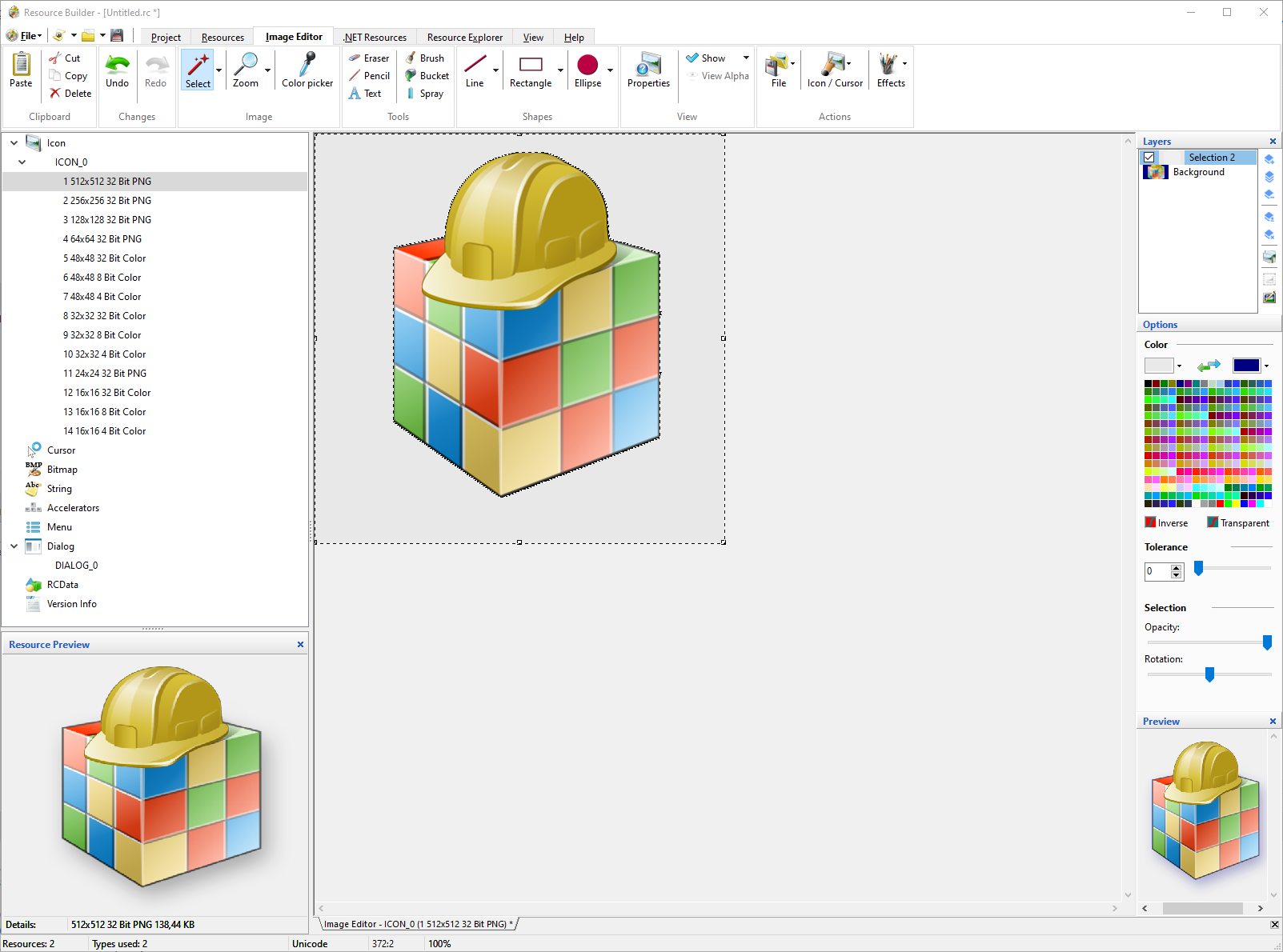
🎨 Built-in Graphic Editor
Edit icons, cursors, bitmaps, and other graphical resources with a full multi-layer image editor, complete with a dedicated Layers panel, layer-aware drawing and selection tools, and layered Photoshop (PSD) import.
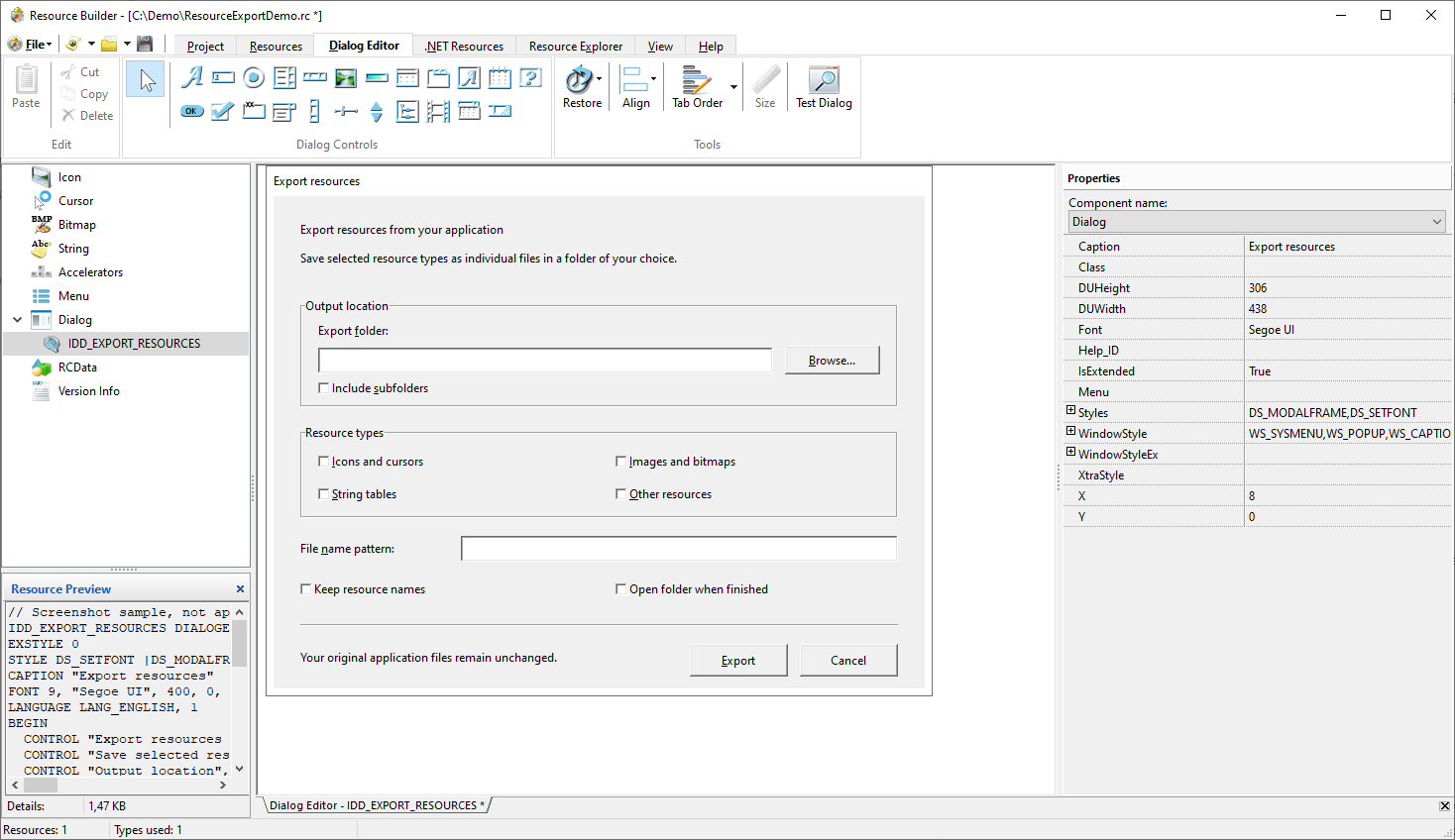
🖼️ WYSIWYG Dialog Editor
Design and edit dialog resources with a What-You-See-Is-What-You-Get interface. Quickly prototype and modify dialog layouts with pixel-perfect accuracy.
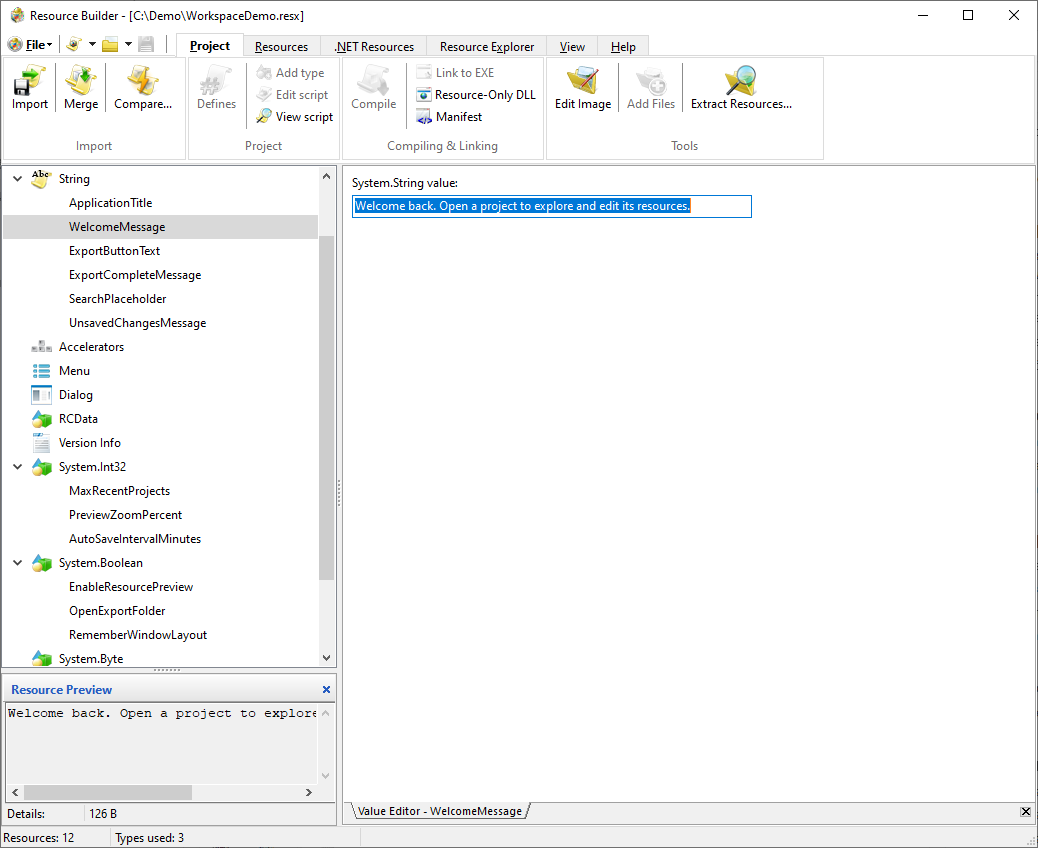
💡 Full .NET Resource Editing
Open, edit, and save .NET resource files (.resx/.resources) directly, using the same tools you already use for native resources, and convert freely between .NET and native formats from the GUI or the command line.
✏ Direct Editing of Executables
Modify resources directly within executable files like .EXE and .DLL, eliminating the need for separate extraction or recompilation steps.
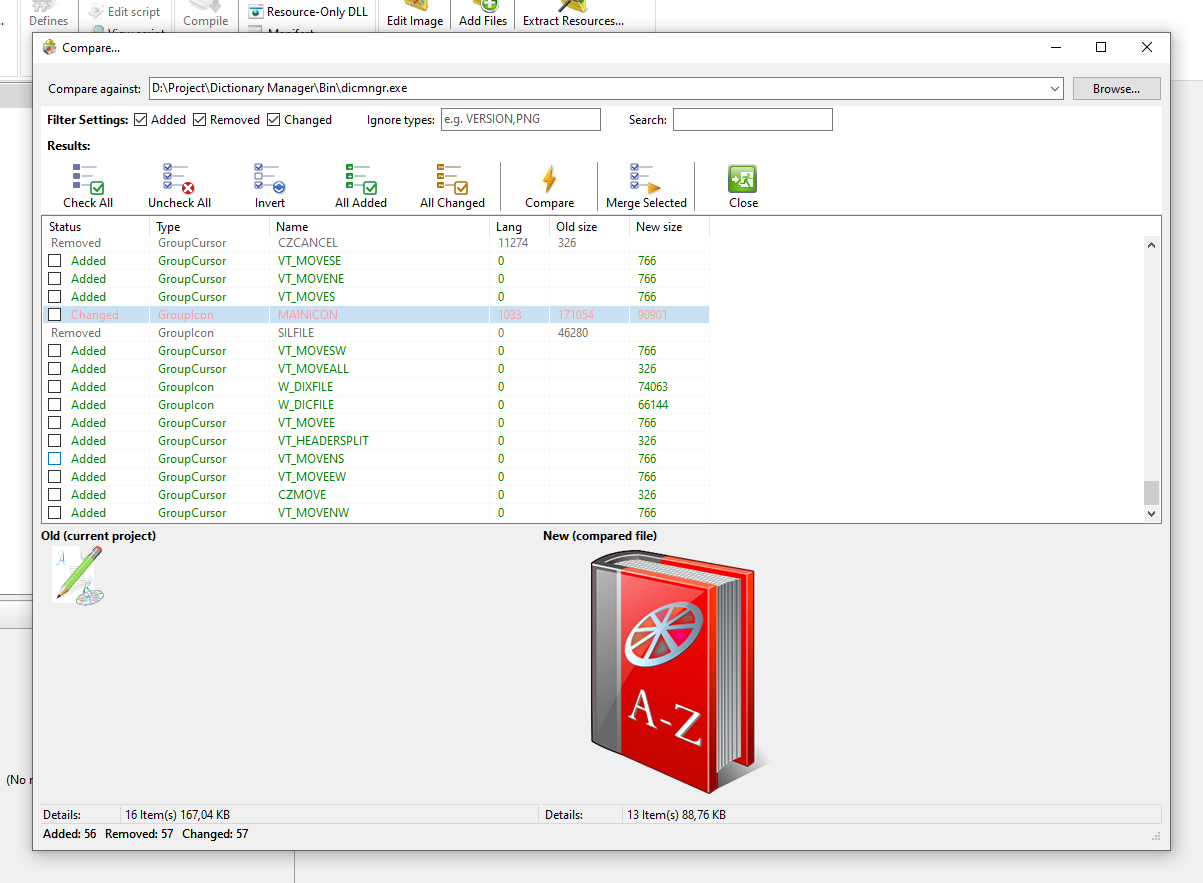
🔍 Compare & Merge Resources
Diff the currently open project against any other build and selectively merge in what changed, catching an accidentally dropped resource before it ships.
📦 Bulk Resource Extraction
Point Resource Builder at a list of files or folders and extract every resource they contain to individual external files in one pass, from the GUI or the command line.
Use Cases
Practical Applications for Developers
Explore the many ways Resource Builder can streamline your development workflow and improve productivity.
🧩 Localization & Internationalization
Efficiently edit string tables, dialogs, and other translatable resources with full Unicode support. Ideal for preparing your applications for global markets.
🛠️ Editing Legacy Application Resources
Update and maintain resources in legacy .EXE or .DLL files without needing to recompile source code — perfect for long-term application support.
🎯 Customizing Third-Party Executables
Replace icons, images, or dialogs in third-party tools for branding, white-labeling, or accessibility customization.
🔍 Resource Inspection & Auditing
Use Resource Explorer to browse the contents of resource files in an Explorer-style interface. Perfect for auditing embedded assets or reverse-engineering layout structures.
More Information
More screenshots in Resource Builder gallery
Pain free ability to edit resources
The article will help you learn about the main features of Resource Builder.
Using HTML resources to create an application's user interface.
We’ll show you how to embed HTML resources into your applications and use them to create an HTML-based user interface.
I would like to tell you that I am very pleased with your product. It is a great tool that makes my daily work a lot easier!
Michael John Wittman PlasmaLogic LLC, USAResource Builder is one of the best programs in its class, a powerful solution for all resource-related tasks you need for the effective work.
3d2f.com EditorsI have to say it is a very useful tool and it fits in well with the Localisation Process I intended to implement here. It is simple and generally bug free and works well with all the basics. So far my experience with it is good and I would not have a problem in recommending it to other clients I have work for in the past.
Jayesh Patel Software Applications Developer, Great BritainThese are real reviews from real users. You can send us your review using our Contacts form.
Blog
In our Resource Builder’s section of the blog, you will find announcements of new versions and other useful information.
I've been interested in your program for some time. I am installing the trial version every time I reinstall Windows. 🙂 In this way I've been able to track changes in Resource Builder from version 1.0 until now. I must say that you've made a great program!
Dejan Milojevic Computer Science Teacher, Serbia